Give each bathroom its own line
In Happy Hallways, every destination with a limit has its own line. Make each bathroom its own destination, and a student waiting for one never holds up a student headed to another.
Name them however your school divides its bathrooms: Left Hall and Right Hall, First Floor Girls’, First Floor Private, and so on. You can set up as many as you need.
Takes about 2 minutes · Updated October 6, 2026
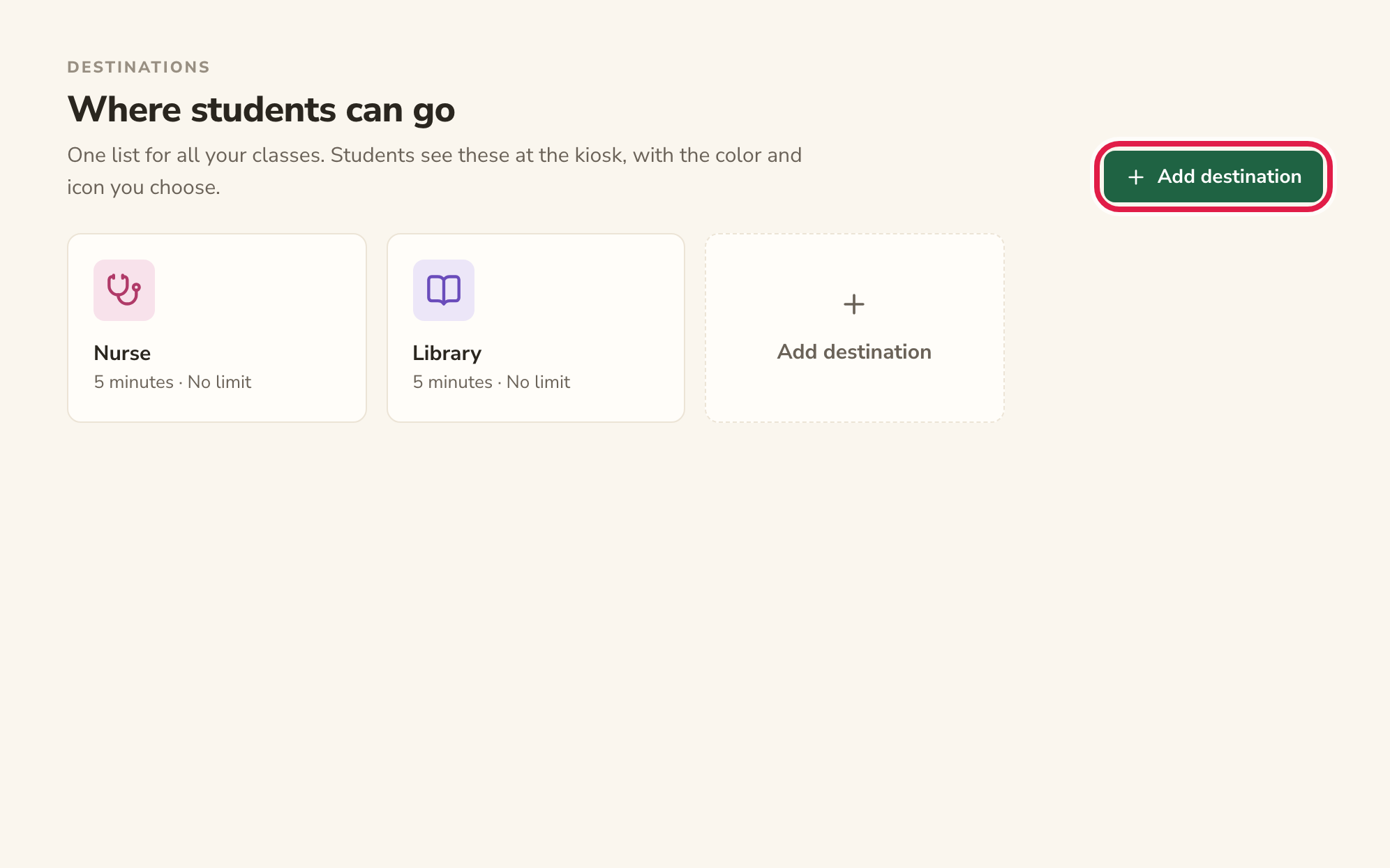
Add a destination for the first bathroom
In Happy Hallways, click Destinations in the sidebar, then click Add destination.
Tip: Already have a bathroom destination? You can use it as one of the two: click its card and give it a new name and a limit, as in the next step.
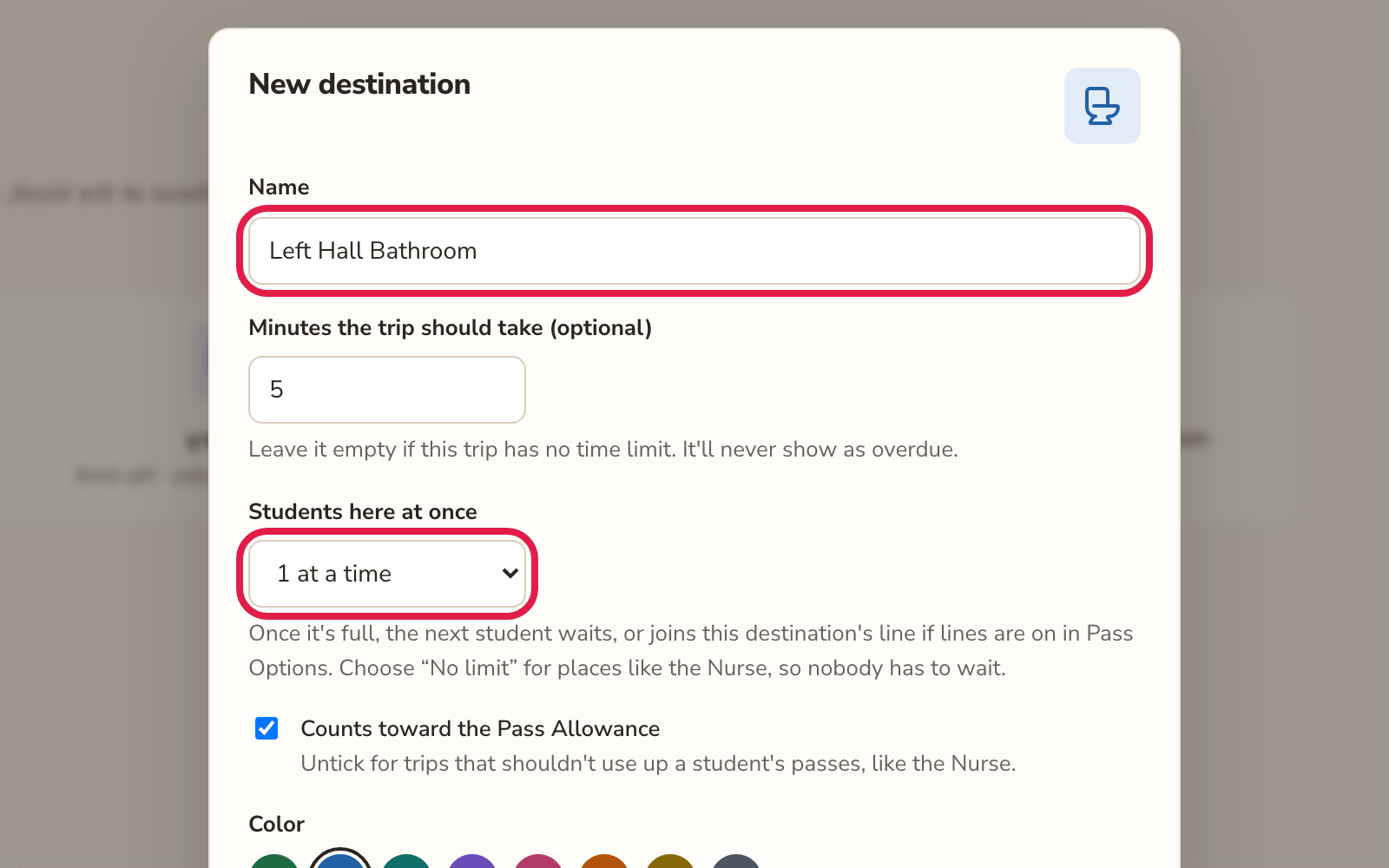
Name it and give it a limit
Give the bathroom a name students will recognize, like Left Hall Bathroom. Under Students here at once, choose 1 at a time (or however many students it holds). Pick a color and an icon, then click Save.
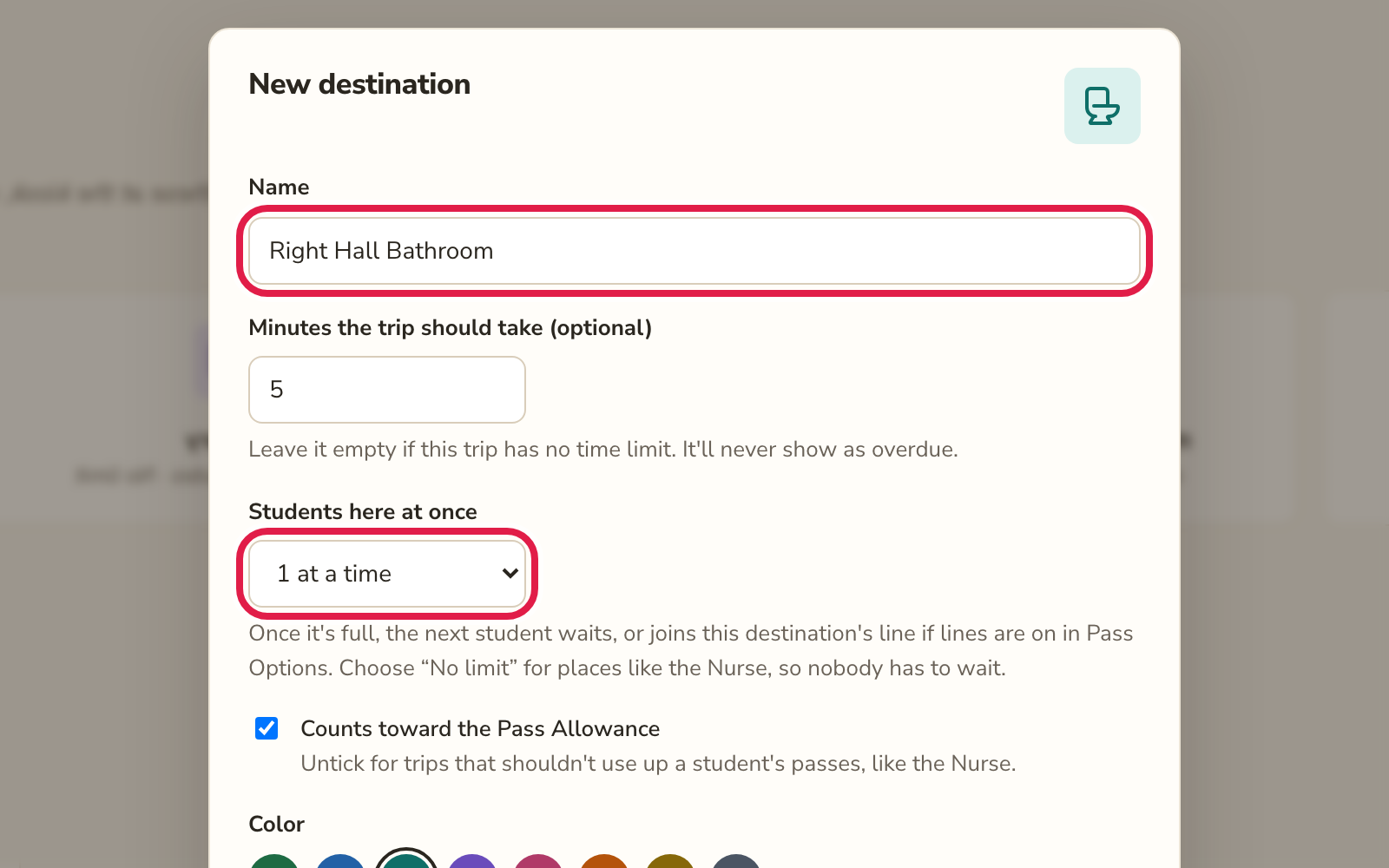
Add the second bathroom the same way
Click Add destination again and set up the other bathroom, like Right Hall Bathroom, with its own limit. A different color helps students tell the two apart at a glance.
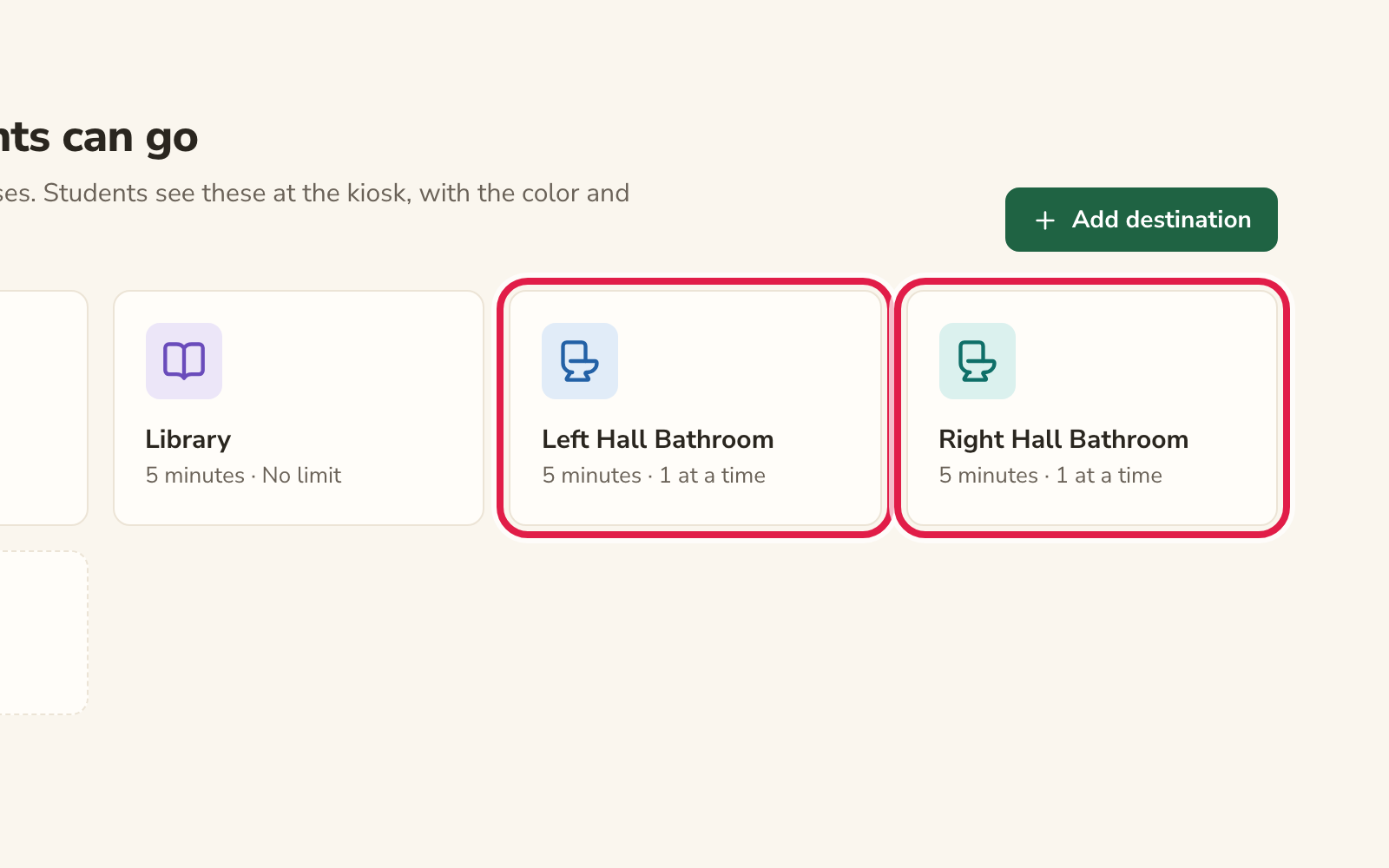
Check that both bathrooms have a limit
Both cards should show a limit, like “1 at a time”. A destination with no limit never fills up, so it never has a line.
Turn on lines
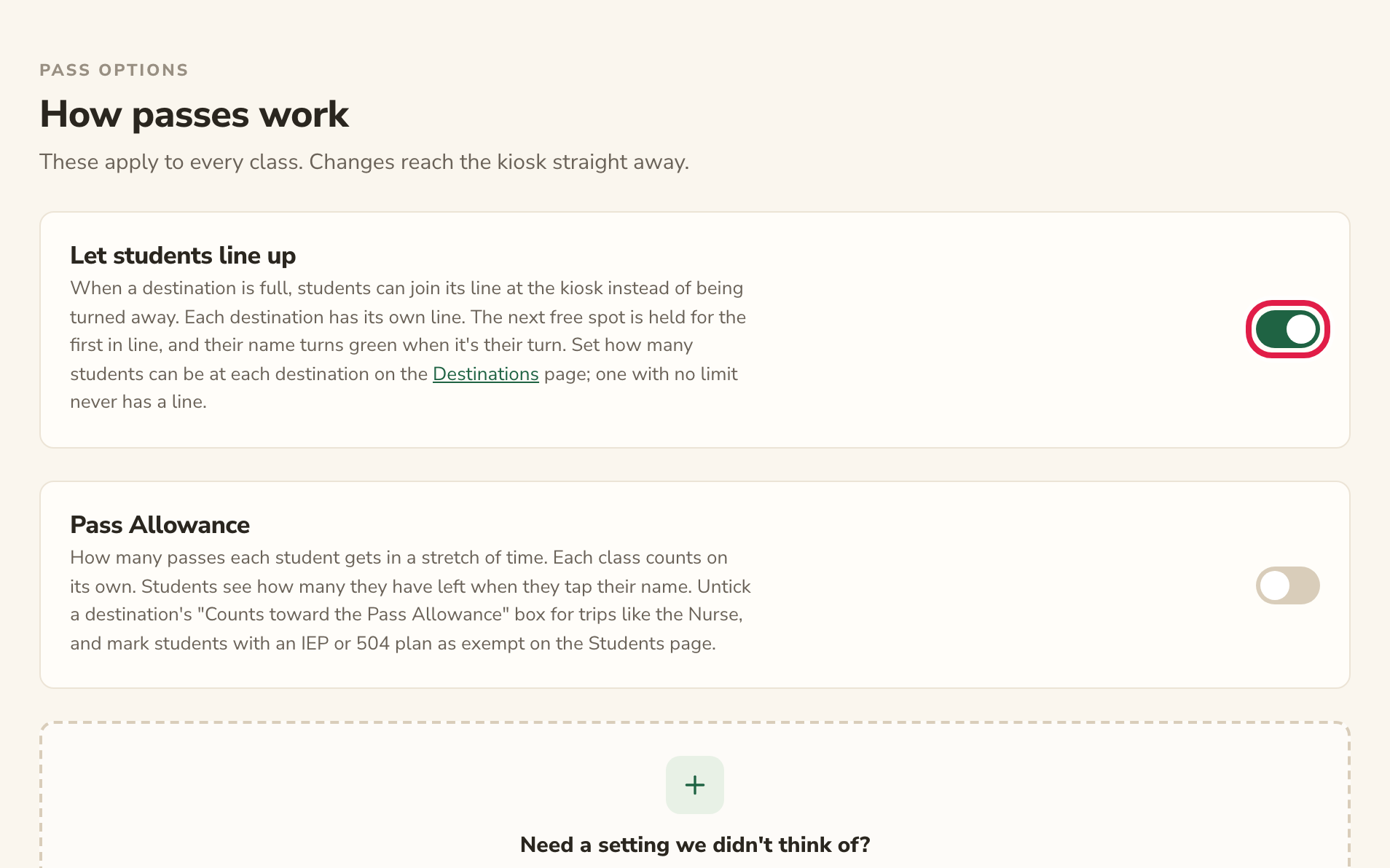
Click Pass Options in the sidebar and turn on Let students line up. Now, when a bathroom is full, students can join that bathroom’s line instead of being turned away.
What students see at the kiosk
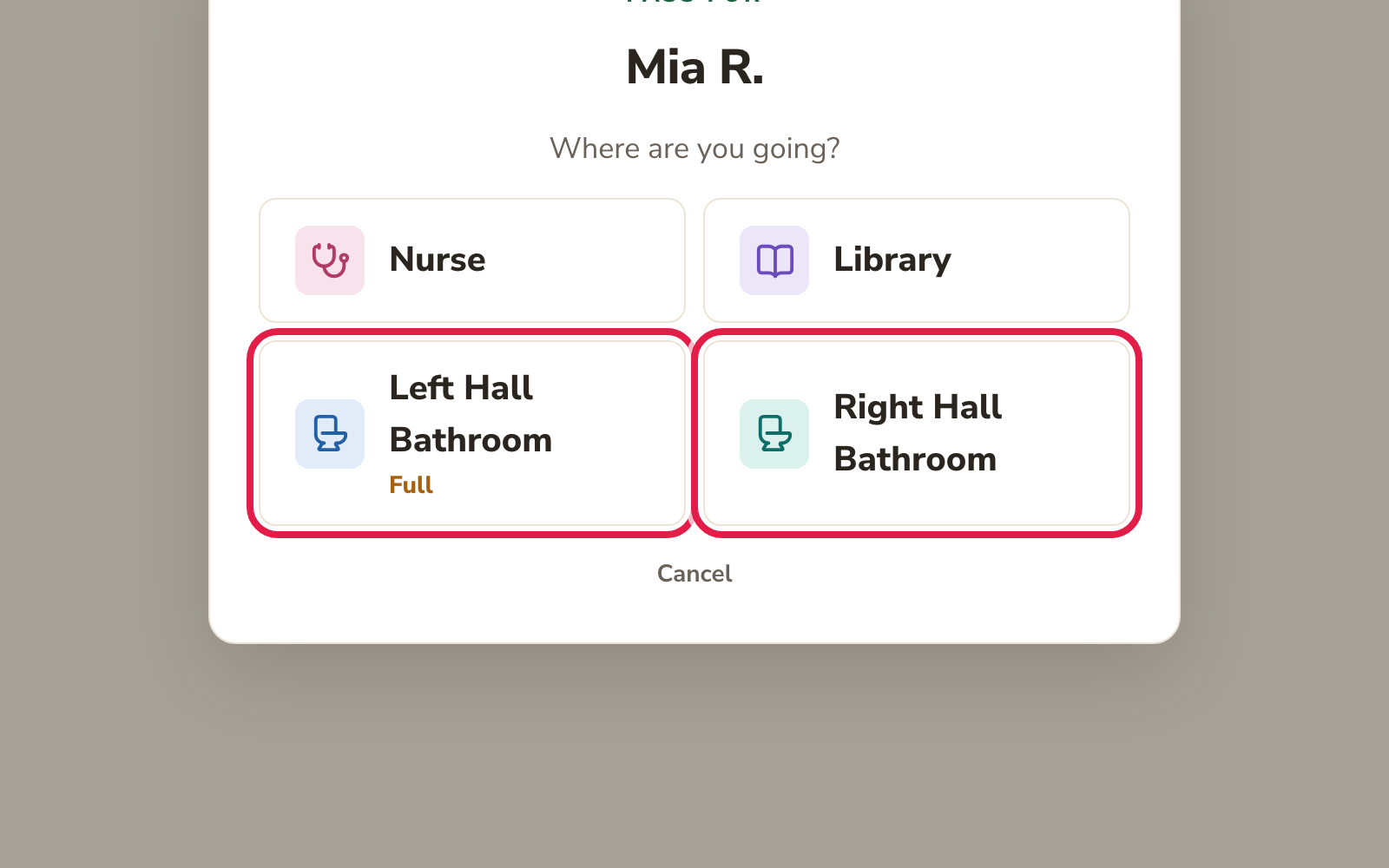
Each bathroom shows up as its own choice. When one is full, the kiosk marks it Full, and a student who taps it can join its line. The other bathroom stays open.
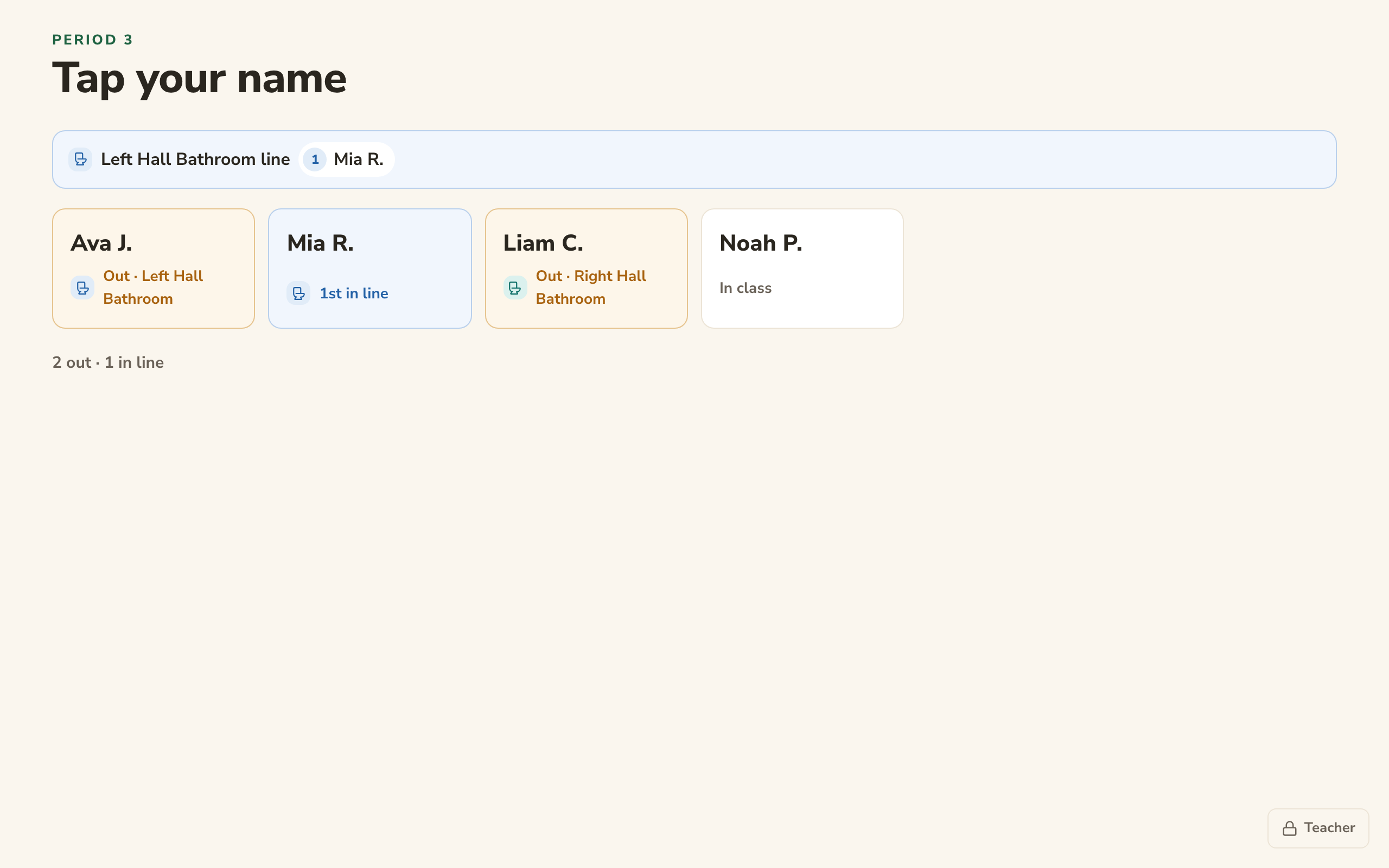
Here, Ava is at the Left Hall Bathroom and Mia is first in its line, while Liam went straight to the Right Hall Bathroom without waiting. When Ava comes back, Mia’s name turns green: it’s Mia’s turn.
If it isn’t working
- Students waiting for one bathroom hold up the other.
- The kiosk may still be running an older version of Happy Hallways. Reload the kiosk page (or close it and open it again). It also updates itself after a minute with nobody touching it.
- Students are told to wait, but can’t join a line.
- Lines are off. Turn on Let students line up on the Pass Options page (step 5).
- Nobody ever has to wait for a bathroom.
- That bathroom has no limit. Open it on the Destinations page and choose a number under Students here at once.
- Can two students use the same bathroom at once?
- Yes. Choose 2 at a time (or more) under Students here at once.
The same steps work for any other destinations you want to keep apart, such as an all-gender restroom or the water fountain.